Domain garten-architekten.de kaufen?
Wir ziehen mit dem Projekt
garten-architekten.de um.
Sind Sie am Kauf der Domain
garten-architekten.de interessiert?
domain@kv-gmbh.de · 0541-91531010
Domain garten-architekten.de kaufen?
Was ist Play Protect?
Play Protect ist ein von Google entwickelter Sicherheitsdienst für Android-Geräte, der dazu dient, schädliche Apps zu erkennen und zu blockieren. Er überprüft regelmäßig alle Apps im Google Play Store auf potenzielle Bedrohungen und warnt den Nutzer, falls eine App als unsicher eingestuft wird. Play Protect bietet somit einen zusätzlichen Schutz vor Malware und anderen Sicherheitsrisiken auf Android-Geräten. **
Was ist eine Aktienanleihe Protect?
Eine Aktienanleihe Protect ist eine spezielle Form der Aktienanleihe, die dem Anleger einen gewissen Schutz vor Kursverlusten bietet. Im Gegensatz zu herkömmlichen Aktienanleihen wird bei einer Aktienanleihe Protect ein Sicherheitspuffer festgelegt, unterhalb dessen der Anleger sein eingesetztes Kapital zurückerhält. Dadurch ist das Verlustrisiko begrenzt, allerdings kann die Rendite im Vergleich zu herkömmlichen Aktienanleihen niedriger ausfallen. Der Schutzmechanismus einer Aktienanleihe Protect kann je nach Emittent und Produkt variieren, daher ist es wichtig, die genauen Bedingungen zu prüfen. **
Ähnliche Suchbegriffe für Tech-Protect-Dock-station-QI15W-A40
Top-Angebote
Produkte zum Begriff Tech-Protect-Dock-station-QI15W-A40:
-
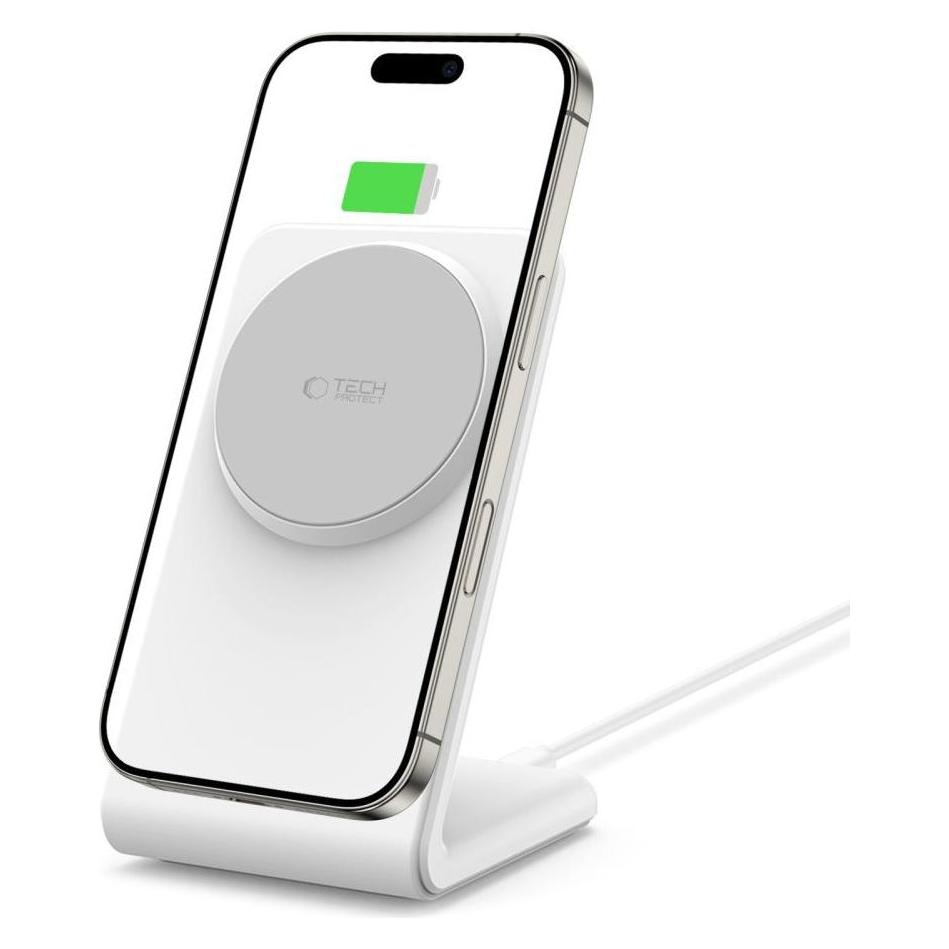
Tech-Protect QI15W-A38 MagSafe Wireless Charger - WhiteThe Tech-Protect QI15W-A38 is a modern wireless charger with MagSafe functionality, created for users who value convenience, safety and style. Thanks to its innovative design, it allows you to quickly and safely charge smartphones with the MagSafe function, as well as wireless headphones. The integrated stand allows you to charge vertically or horizontally, giving you complete freedom of use - you can watch videos, browse social media or make video calls without worrying about low battery. The compact and minimalist design of the charger, finished with matte material, prevents fingerprints and blends perfectly into any interior. The non-slip finish of the base and bottom ensures stability and safety of the device during charging. The Tech-Protect QI15W-A38 is equipped with an advanced protection system that protects the charged devices from overheating, overload and overvoltages. It maintains a stable, low operating temperature, which allows you to leave the device on the charger for up to several hours without worry. With MagSafe technology, charging becomes even more convenient - just place your phone on the charger and the magnetic connection will ensure reliable and efficient energy renewal. The Tech-Protect QI15W-A38 is the perfect combination of modern technology, functionality and elegant design that will meet the requirements of even the most demanding users. * To use the inductive charger to its full potential, we recommend connecting it to an AC charger with an output power of 20W (V*A) and more. ** MagSafe magnetic function only works directly with your phone/headphones or on a case with a built-in MagSafe magnetic eyelet16,98 €*Versand: 2,99 €Sichere Weiterleitung zum Anbieter
-
Tech-Protect QI15W-A38 MagSafe Wireless Charger - BlackThe Tech-Protect QI15W-A38 is a modern wireless charger with MagSafe functionality, created for users who value convenience, safety and style. Thanks to its innovative design, it allows you to quickly and safely charge smartphones with the MagSafe function, as well as wireless headphones. The integrated stand allows you to charge vertically or horizontally, giving you complete freedom of use - you can watch videos, browse social media or make video calls without worrying about low battery levels. The compact and minimalist design of the charger, finished with matte material, prevents fingerprints and blends perfectly into any interior. The non-slip finish of the base and bottom ensures stability and safety of the device during charging. The Tech-Protect QI15W-A38 is equipped with an advanced protection system that protects the charged devices from overheating, overload and overvoltages. It maintains a stable, low operating temperature, which allows you to leave the device on the charger for up to several hours without worry. With MagSafe technology, charging becomes even more convenient - just place your phone on the charger and the magnetic connection will ensure reliable and efficient energy renewal. The Tech-Protect QI15W-A38 is the perfect combination of modern technology, functionality and elegant design that will meet the requirements of even the most demanding users. * To use the inductive charger to its full potential, we recommend connecting it to an AC charger with an output power of 20W (V*A) and more. ** MagSafe magnetic function only works directly with your phone/headphones or on a case with a built-in MagSafe magnetic eyelet17,16 €*Versand: 2,99 €Sichere Weiterleitung zum Anbieter
-
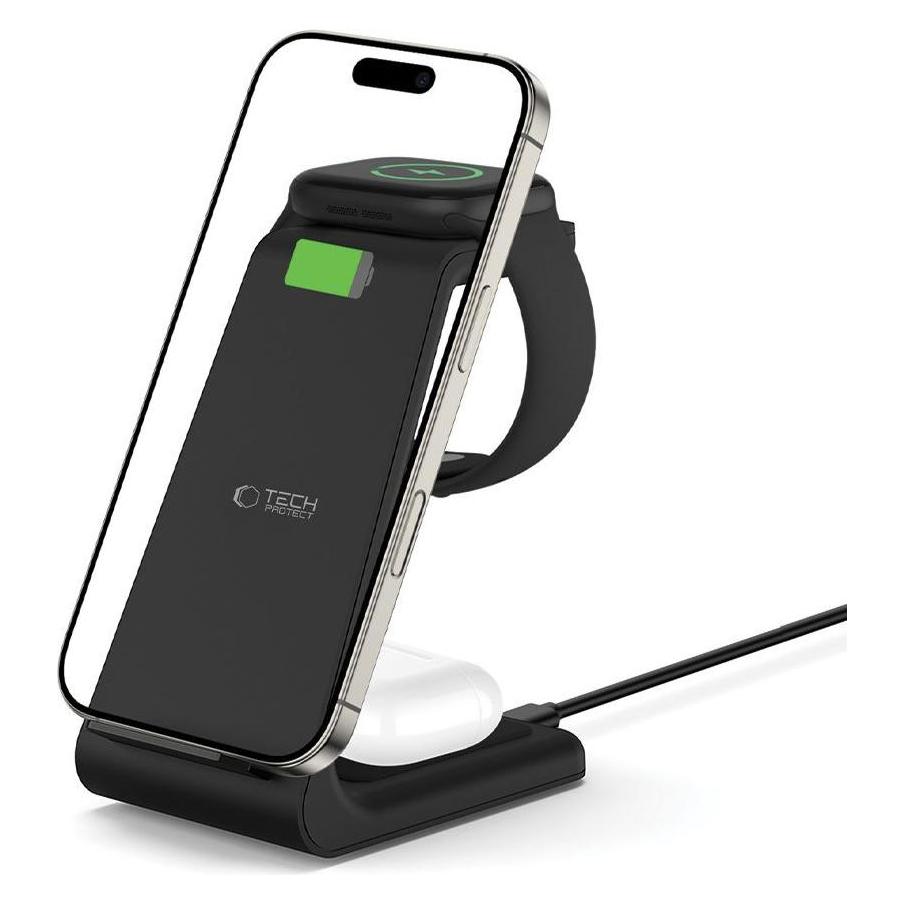
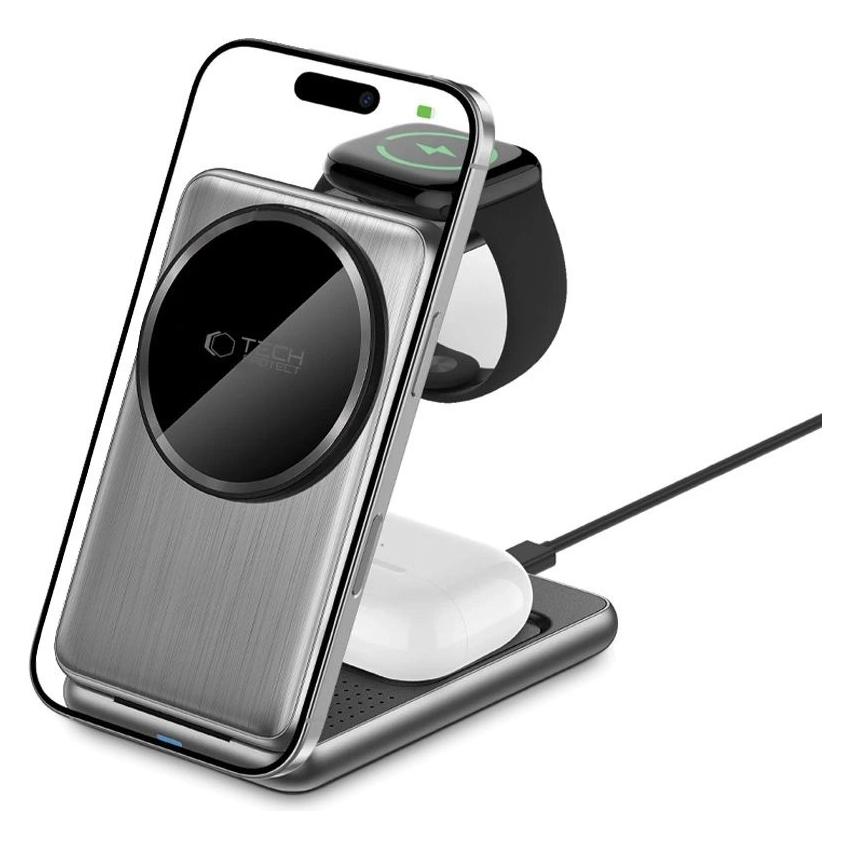
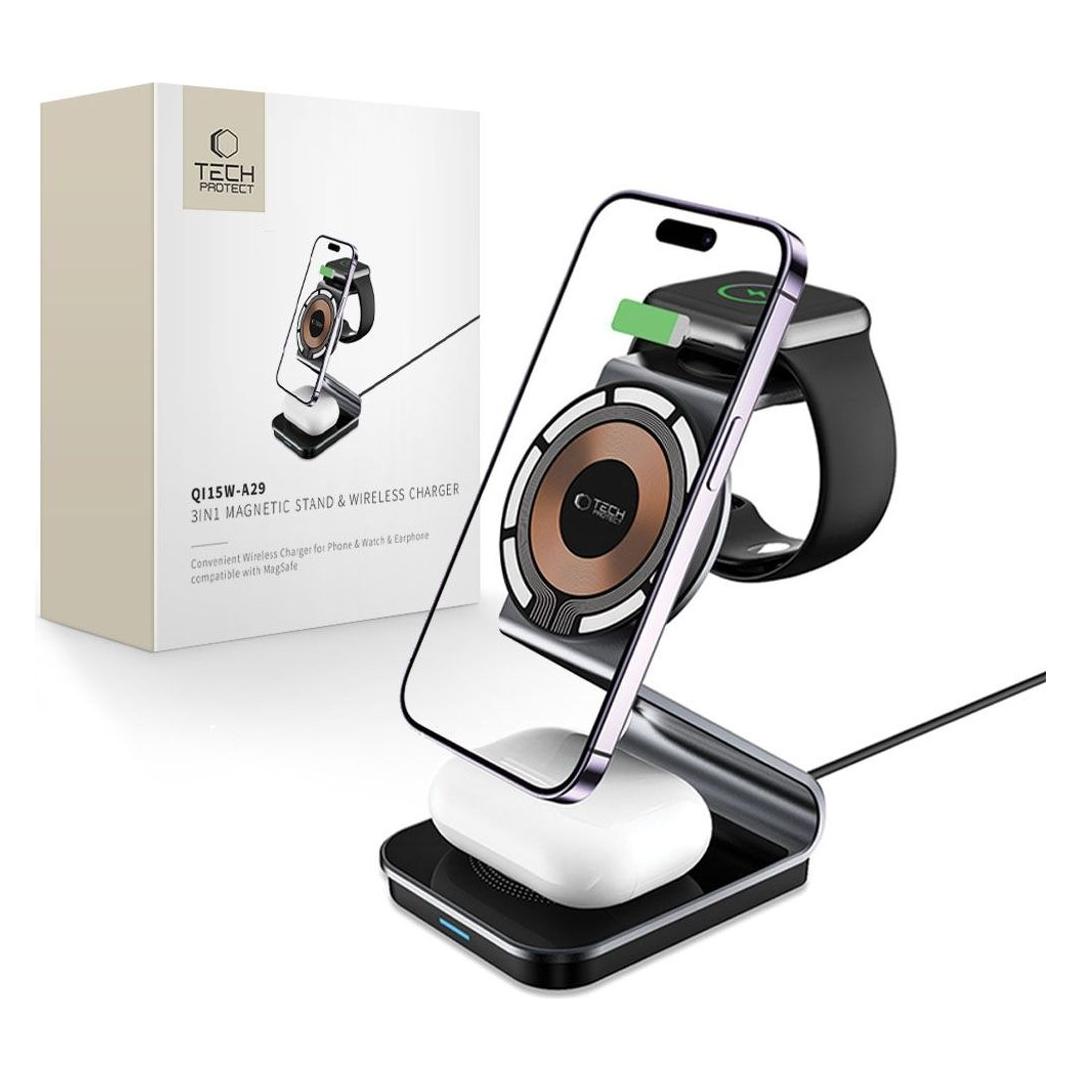
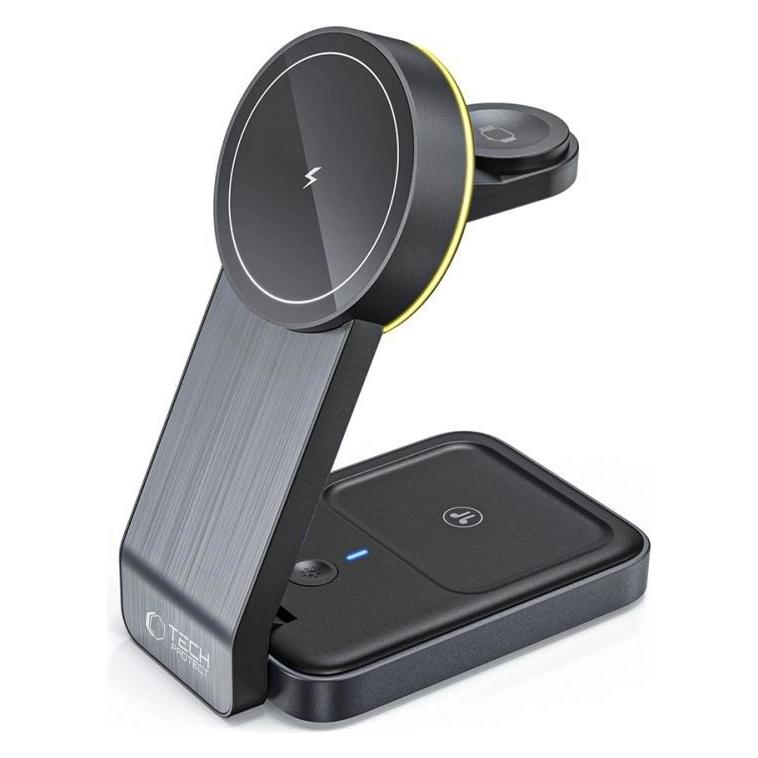
Tech-Protect QI15W-A43 3in1 MagSafe Inductive Charger - PinkThe Tech-Protect QI15W-A43 is an innovative docking station with MagSafe support that provides convenient and stable charging of devices. With the built-in MagSafe mount, you can easily and securely attach your smartphone for the optimal charging position. The station offers fast wireless charging with 15W for phones, 5W for headphones and 3W for smartwatches, allowing you to charge all your devices at the same time. Additionally, it supports universal charging standards such as AFC, PD, QC2.0, QC3.0, and FCP, guaranteeing full compatibility with the latest technologies. Advanced technology guarantees fast, safe and efficient charging, and the station's sleek and compact design will fit perfectly into any interior. The subtle LED backlight adds a modern touch, and the low power consumption in standby mode is an added bonus. The included 1 meter USB-C cable ensures convenience of use. The Tech-Protect QI15W-A43 3IN1 is ideal for MagSafe-enabled smartphone users who value functionality and style. Order today and discover a new level of convenience and organization! * MagSafe magnetic only works directly with your phone or on a case with a built-in MagSafe magnetic eye. ** To use the inductive charger to its full potential, we recommend connecting it to an AC charger with an output power of at least 35W29,68 €*Versand: 5,99 €Sichere Weiterleitung zum Anbieter



-
Wie kann ich Download Protect entfernen?
Um Download Protect zu entfernen, kannst du zunächst versuchen, es über die Systemsteuerung unter "Programme und Funktionen" zu deinstallieren. Falls das nicht funktioniert, kannst du auch versuchen, ein Antivirenprogramm zu verwenden, um die Dateien zu identifizieren und zu entfernen. Es ist auch ratsam, deinen Browserverlauf und Cookies zu löschen, um sicherzustellen, dass alle Spuren von Download Protect beseitigt sind. Falls alle Stricke reißen, kannst du auch professionelle Hilfe in Anspruch nehmen, um das unerwünschte Programm zu entfernen. **
-
Wie kann ich Play Protect deaktivieren?
Um Play Protect auf einem Android-Gerät zu deaktivieren, öffne die Einstellungen, gehe zu "Sicherheit" oder "Google", und deaktiviere die Option "Play Protect". Beachte jedoch, dass das Deaktivieren von Play Protect die Sicherheit deines Geräts beeinträchtigen kann, da es dazu dient, schädliche Apps zu erkennen und zu entfernen. Es wird empfohlen, Play Protect aktiviert zu lassen, um dein Gerät vor potenziellen Bedrohungen zu schützen. **
-
Warum schaltet die Endstufe auf "Protect"?
Die Endstufe schaltet auf "Protect", wenn sie einen Fehler oder eine Überlastung erkennt. Dies kann durch Kurzschlüsse, zu hohe Lautstärke oder eine falsche Impedanz der angeschlossenen Lautsprecher verursacht werden. Der Schutzmechanismus soll verhindern, dass die Endstufe beschädigt wird und schaltet sie daher automatisch ab. **
-
Wie gefährlich ist Google Play Protect?
Google Play Protect ist eine Sicherheitsfunktion von Google, die darauf abzielt, schädliche Apps zu erkennen und zu entfernen. Es ist eine wichtige Schutzmaßnahme für Android-Nutzer, da es dazu beiträgt, das Risiko von Malware-Infektionen zu verringern. Allerdings ist keine Sicherheitsmaßnahme perfekt, und es besteht immer ein gewisses Restrisiko, dass schädliche Apps durchrutschen können. Es ist daher ratsam, auch andere Sicherheitsvorkehrungen wie das Herunterladen von Apps nur aus vertrauenswürdigen Quellen und das Aktualisieren des Betriebssystems regelmäßig zu treffen. **
Funktioniert das Dock damit?
Ja, das Dock funktioniert damit. Es ermöglicht das Anschließen von mehreren Geräten wie Monitoren, Tastaturen und Mäusen an einen Laptop oder Computer und erleichtert so die Verwendung und den Wechsel zwischen verschiedenen Geräten. **
Ist das a40 wasserdicht?
Nein, das Samsung Galaxy A40 ist nicht wasserdicht. Es verfügt nicht über eine offizielle IP-Zertifizierung für Wasser- und Staubschutz. Daher sollte man es nicht absichtlich Wasser aussetzen oder damit schwimmen gehen. Es ist ratsam, das Gerät vor Wasser und Feuchtigkeit zu schützen, um Schäden zu vermeiden. Es gibt jedoch wasserdichte Hüllen und Schutzhüllen auf dem Markt, die zusätzlichen Schutz bieten können. **
Top-Angebote
Produkte zum Begriff Tech-Protect-Dock-station-QI15W-A40:
-
Tech-Protect QI15W-A38 MagSafe Wireless Charger - WhiteThe Tech-Protect QI15W-A38 is a modern wireless charger with MagSafe functionality, created for users who value convenience, safety and style. Thanks to its innovative design, it allows you to quickly and safely charge smartphones with the MagSafe function, as well as wireless headphones. The integrated stand allows you to charge vertically or horizontally, giving you complete freedom of use - you can watch videos, browse social media or make video calls without worrying about low battery. The compact and minimalist design of the charger, finished with matte material, prevents fingerprints and blends perfectly into any interior. The non-slip finish of the base and bottom ensures stability and safety of the device during charging. The Tech-Protect QI15W-A38 is equipped with an advanced protection system that protects the charged devices from overheating, overload and overvoltages. It maintains a stable, low operating temperature, which allows you to leave the device on the charger for up to several hours without worry. With MagSafe technology, charging becomes even more convenient - just place your phone on the charger and the magnetic connection will ensure reliable and efficient energy renewal. The Tech-Protect QI15W-A38 is the perfect combination of modern technology, functionality and elegant design that will meet the requirements of even the most demanding users. * To use the inductive charger to its full potential, we recommend connecting it to an AC charger with an output power of 20W (V*A) and more. ** MagSafe magnetic function only works directly with your phone/headphones or on a case with a built-in MagSafe magnetic eyelet16,98 €*Versand: 2,99 €Sichere Weiterleitung zum Anbieter
-
Tech-Protect QI15W-A38 MagSafe Wireless Charger - BlackThe Tech-Protect QI15W-A38 is a modern wireless charger with MagSafe functionality, created for users who value convenience, safety and style. Thanks to its innovative design, it allows you to quickly and safely charge smartphones with the MagSafe function, as well as wireless headphones. The integrated stand allows you to charge vertically or horizontally, giving you complete freedom of use - you can watch videos, browse social media or make video calls without worrying about low battery levels. The compact and minimalist design of the charger, finished with matte material, prevents fingerprints and blends perfectly into any interior. The non-slip finish of the base and bottom ensures stability and safety of the device during charging. The Tech-Protect QI15W-A38 is equipped with an advanced protection system that protects the charged devices from overheating, overload and overvoltages. It maintains a stable, low operating temperature, which allows you to leave the device on the charger for up to several hours without worry. With MagSafe technology, charging becomes even more convenient - just place your phone on the charger and the magnetic connection will ensure reliable and efficient energy renewal. The Tech-Protect QI15W-A38 is the perfect combination of modern technology, functionality and elegant design that will meet the requirements of even the most demanding users. * To use the inductive charger to its full potential, we recommend connecting it to an AC charger with an output power of 20W (V*A) and more. ** MagSafe magnetic function only works directly with your phone/headphones or on a case with a built-in MagSafe magnetic eyelet17,16 €*Versand: 2,99 €Sichere Weiterleitung zum Anbieter
-
Was ist Play Protect?
Play Protect ist ein von Google entwickelter Sicherheitsdienst für Android-Geräte, der dazu dient, schädliche Apps zu erkennen und zu blockieren. Er überprüft regelmäßig alle Apps im Google Play Store auf potenzielle Bedrohungen und warnt den Nutzer, falls eine App als unsicher eingestuft wird. Play Protect bietet somit einen zusätzlichen Schutz vor Malware und anderen Sicherheitsrisiken auf Android-Geräten. **
-
Was ist eine Aktienanleihe Protect?
Eine Aktienanleihe Protect ist eine spezielle Form der Aktienanleihe, die dem Anleger einen gewissen Schutz vor Kursverlusten bietet. Im Gegensatz zu herkömmlichen Aktienanleihen wird bei einer Aktienanleihe Protect ein Sicherheitspuffer festgelegt, unterhalb dessen der Anleger sein eingesetztes Kapital zurückerhält. Dadurch ist das Verlustrisiko begrenzt, allerdings kann die Rendite im Vergleich zu herkömmlichen Aktienanleihen niedriger ausfallen. Der Schutzmechanismus einer Aktienanleihe Protect kann je nach Emittent und Produkt variieren, daher ist es wichtig, die genauen Bedingungen zu prüfen. **
-
Wie kann ich Download Protect entfernen?
Um Download Protect zu entfernen, kannst du zunächst versuchen, es über die Systemsteuerung unter "Programme und Funktionen" zu deinstallieren. Falls das nicht funktioniert, kannst du auch versuchen, ein Antivirenprogramm zu verwenden, um die Dateien zu identifizieren und zu entfernen. Es ist auch ratsam, deinen Browserverlauf und Cookies zu löschen, um sicherzustellen, dass alle Spuren von Download Protect beseitigt sind. Falls alle Stricke reißen, kannst du auch professionelle Hilfe in Anspruch nehmen, um das unerwünschte Programm zu entfernen. **
-
Wie kann ich Play Protect deaktivieren?
Um Play Protect auf einem Android-Gerät zu deaktivieren, öffne die Einstellungen, gehe zu "Sicherheit" oder "Google", und deaktiviere die Option "Play Protect". Beachte jedoch, dass das Deaktivieren von Play Protect die Sicherheit deines Geräts beeinträchtigen kann, da es dazu dient, schädliche Apps zu erkennen und zu entfernen. Es wird empfohlen, Play Protect aktiviert zu lassen, um dein Gerät vor potenziellen Bedrohungen zu schützen. **
Ähnliche Suchbegriffe für Tech-Protect-Dock-station-QI15W-A40
-
Tech-Protect QI15W-A43 3in1 MagSafe Inductive Charger - PinkThe Tech-Protect QI15W-A43 is an innovative docking station with MagSafe support that provides convenient and stable charging of devices. With the built-in MagSafe mount, you can easily and securely attach your smartphone for the optimal charging position. The station offers fast wireless charging with 15W for phones, 5W for headphones and 3W for smartwatches, allowing you to charge all your devices at the same time. Additionally, it supports universal charging standards such as AFC, PD, QC2.0, QC3.0, and FCP, guaranteeing full compatibility with the latest technologies. Advanced technology guarantees fast, safe and efficient charging, and the station's sleek and compact design will fit perfectly into any interior. The subtle LED backlight adds a modern touch, and the low power consumption in standby mode is an added bonus. The included 1 meter USB-C cable ensures convenience of use. The Tech-Protect QI15W-A43 3IN1 is ideal for MagSafe-enabled smartphone users who value functionality and style. Order today and discover a new level of convenience and organization! * MagSafe magnetic only works directly with your phone or on a case with a built-in MagSafe magnetic eye. ** To use the inductive charger to its full potential, we recommend connecting it to an AC charger with an output power of at least 35W29,68 €*Versand: 5,99 €Sichere Weiterleitung zum Anbieter
-
Warum schaltet die Endstufe auf "Protect"?
Die Endstufe schaltet auf "Protect", wenn sie einen Fehler oder eine Überlastung erkennt. Dies kann durch Kurzschlüsse, zu hohe Lautstärke oder eine falsche Impedanz der angeschlossenen Lautsprecher verursacht werden. Der Schutzmechanismus soll verhindern, dass die Endstufe beschädigt wird und schaltet sie daher automatisch ab. **
-
Wie gefährlich ist Google Play Protect?
Google Play Protect ist eine Sicherheitsfunktion von Google, die darauf abzielt, schädliche Apps zu erkennen und zu entfernen. Es ist eine wichtige Schutzmaßnahme für Android-Nutzer, da es dazu beiträgt, das Risiko von Malware-Infektionen zu verringern. Allerdings ist keine Sicherheitsmaßnahme perfekt, und es besteht immer ein gewisses Restrisiko, dass schädliche Apps durchrutschen können. Es ist daher ratsam, auch andere Sicherheitsvorkehrungen wie das Herunterladen von Apps nur aus vertrauenswürdigen Quellen und das Aktualisieren des Betriebssystems regelmäßig zu treffen. **
-
Funktioniert das Dock damit?
Ja, das Dock funktioniert damit. Es ermöglicht das Anschließen von mehreren Geräten wie Monitoren, Tastaturen und Mäusen an einen Laptop oder Computer und erleichtert so die Verwendung und den Wechsel zwischen verschiedenen Geräten. **
-
Ist das a40 wasserdicht?
Nein, das Samsung Galaxy A40 ist nicht wasserdicht. Es verfügt nicht über eine offizielle IP-Zertifizierung für Wasser- und Staubschutz. Daher sollte man es nicht absichtlich Wasser aussetzen oder damit schwimmen gehen. Es ist ratsam, das Gerät vor Wasser und Feuchtigkeit zu schützen, um Schäden zu vermeiden. Es gibt jedoch wasserdichte Hüllen und Schutzhüllen auf dem Markt, die zusätzlichen Schutz bieten können. **
* Alle Preise verstehen sich inklusive der gesetzlichen Mehrwertsteuer und ggf. zuzüglich Versandkosten. Die Angebotsinformationen basieren auf den Angaben des jeweiligen Shops und werden über automatisierte Prozesse aktualisiert. Eine Aktualisierung in Echtzeit findet nicht statt, so dass es im Einzelfall zu Abweichungen kommen kann. ** Hinweis: Teile dieses Inhalts wurden von KI erstellt.